
IN7 App 2026: The Complete Guide to Download, Play & Master the Game
IN7 App 2026 Mobile gaming has exploded in popularity, and finding a game that is both fun and easy to pick up can be a challenge. Enter the IN7 Official App 2026 – a game that has been quietly winning over players with its simple mechanics, charming design, and genuinely engaging gameplay.
If you are tired of games that bombard you with ads or require you to spend money just to make progress, IN7 might be exactly what you have been looking for. In this complete guide, we will cover everything you need to know about the IN7 App 2026 – from downloading and installing the game to mastering its levels and unlocking every achievement.
What is the IN7 App 2026 ?
TheIN7 App 2026 is an endless runner game that takes you on an exciting adventure with a charming chicken character as the hero. Yes, you read that correctly – a chicken. But do not let the quirky protagonist fool you. This game has surprising depth and challenge.
The core gameplay is simple. You control your chicken as it runs forward automatically. Your job is to jump over obstacles, dodge barriers, and race through three unique chapters filled with challenging levels . The controls are intuitive – just tap the screen to make your chicken jump. Hold the tap longer for higher jumps when needed.
What makes the 2026 version special is how it balances simplicity with progressive difficulty. The game is easy enough for a child to pick up and play, but challenging enough to keep an adult engaged for hours.
Game Chapters and Environments
TheIN7 App 2026 features three distinct chapters, each with its own unique environment and obstacles
Chapter 1: The Peaceful Countryside
Your journey begins in a calm, rural setting. The obstacles here are gentle – haybales, wooden fences, and the occasional farm tool. This chapter serves as a tutorial of sorts, teaching you the basic timing and jump mechanics. The pace is slower, and obstacles are spaced far apart. Do not get too comfortable, though. The difficulty starts to ramp up by the middle of this chapter.
Chapter 2: Bustling Urban Streets
The second chapter throws you into a busy city. The obstacles change dramatically. You will dodge speeding cars, weave between streetlights, and jump over construction barriers. The timing windows are tighter, and obstacles often appear in quick succession. This chapter tests your reflexes and forces you to think ahead.
Chapter 3: Neon-Lit Futuristic City
The final chapter takes you to a high-tech future world. The visuals are stunning – neon lights, holographic barriers, and moving obstacles that shift position while you are in the air. The difficulty reaches its peak here. Obstacles spawn faster, move in unpredictable patterns, and often appear in groups. Only players with quick reflexes and precise timing will make it through.
How to Download the IN7 App 2026
Downloading the IN7 App 2026 is simple and straightforward. The app is available on the official Google Play Store, which means you do not need to mess with unknown sources or risky third-party websites.
For Android Users
Step 1: Open the Google Play Store
Locate the Play Store icon on your phone’s home screen or in your app drawer.
Step 2: Search for “IN7”
Type “IN7” into the search bar at the top of the screen. Look for the app that matches the description of an endless runner game with a chicken character.
Step 3: Verify the Developer
The app is published by Showrab Hossain . The developer email is listed as https://in7official.com/., and the address is in Chattogram, Bangladesh . This helps you confirm you are downloading the legitimate app.
Step 4: Check the Update Date
The IN7 App 2026 version was most recently updated in early 2026, ensuring you get the latest features and bug fixes.
Step 5: Tap Install
Click the green “Install” button. The app size is very reasonable, so it will not take up much space on your phone.
Step 6: Open the App
Once the installation finishes, tap “Open” to launch IN7 App 2026 for the first time.
For iOS Users
Currently, based on the official information available, the IN7 App 2026 is primarily documented for Android devices through the Google Play Store. iOS users should open the Apple App Store and search directly for “IN7” or “Feather Runner” to see if an iOS version has been released.
Important Security Note
Because the IN7 App 2026 is available on the official Google Play Store, you do not need to worry about malware or fake versions. Always download from the official store. Avoid any website offering “IN7 APK” files for download outside the Play Store. Those files can contain viruses or steal your personal information.
First Launch and Setup
The first time you open the IN7 App 2026 , you will be greeted with a clean, colorful interface. The game does not ask for unnecessary permissions or bombard you with requests to create an account.
You can start playing immediately. There is no requirement to sign up with your email, phone number, or social media accounts. Just tap the screen and begin your journey.
A short, optional tutorial will show you the basics if you want it. The game uses tap-to-jump controls. You tap the screen once to make your chicken jump. If you need to jump higher, you hold your finger on the screen longer. That is it. Two minutes of practice, and you will have the mechanics down.
Gameplay: How to Play IN7 2026
Now that you have the app installed, let us talk about how to actually play the game and what to expect as you progress.
The Core Mechanic
Your chicken runs forward automatically. You cannot control the speed. You cannot make it go left or right. Your only job is to time your jumps to clear obstacles.
Tap to jump – A quick tap makes your chicken perform a small jump.
Hold to jump higher – Pressing and holding your finger on the screen makes your chicken jump higher and stay in the air longer.
The key to success is learning exactly how long to hold for each obstacle. A haybale in the countryside requires only a small jump. A speeding car in the urban chapter requires a higher, more precisely timed jump. A moving barrier in the futuristic chapter requires you to adjust your jump height while the obstacle is still moving.
Levels and Progression
The IN7 App 2026 features ninety levels spread across the three chapters . Each level you complete unlocks the next one. This creates a clear sense of progression. You always know what to work toward.
Early levels are forgiving. Obstacles appear slowly and are spaced far apart. These levels teach you the basic timing. By level ten, you will feel confident.
Mid-levels introduce new obstacle types and faster speeds. You will face combinations of obstacles – a jump immediately followed by another jump. These levels test your reaction time.
Late levels are genuinely challenging. Obstacles appear in complex patterns. The futuristic chapter includes moving obstacles that change position while you are airborne. You need near-perfect timing to clear these sections.
The Achievement System
Beyond just completing levels, IN7 App 2026 includes a comprehensive achievement system that rewards your progress and milestones . Achievements unlock as you hit certain targets.
Examples of achievements include:
- Completing each of the three chapters
- Making your first jump
- Running a cumulative marathon distance (total jumps across all play sessions)
- Achieving perfect runs without hitting any obstacles
- Collecting specific numbers of coins
The achievement system adds replayability . Even after you finish all ninety levels, you can come back to improve your performance and unlock those final rewards. This keeps the game fresh long after you have seen everything.
Why IN7 App 2026 is Different from Other Runners
The endless runner genre is crowded. What makes IN7 App 2026 worth your time?
No Pay-to-Win Mechanics
You cannot buy your way through levels. There are no “extra lives” for sale. No “skip this level” buttons that cost real money. You either learn the timing and beat the level, or you keep practicing until you do. This is refreshing in a mobile gaming market full of aggressive monetization.
No Forced Ads
The game does not force you to watch an ad after every death. You can play for hours without seeing a single interruption. Some versions may offer optional ads to earn coins or continue after a death, but these are opt-in. You are never forced.
Balanced Difficulty Curve
The game’s difficulty curve is carefully balanced to provide a satisfying challenge without becoming frustrating .Early levels serve as a gentle introduction. Later levels test your mastery. You never feel like the game is cheating or being unfair.
Plays on Any Device
The minimalist yet charming art style ensures that the game runs smoothly on all devices while maintaining visual appeal .Whether you have a brand new flagship phone or an older budget device, the game will run at a stable frame rate.
Tips and Strategies to Master IN7 App 2026
Want to complete all ninety levels and unlock every achievement? Follow these tips.
Master the Jump Timing First
Before you worry about perfect runs or speed, spend time in the early levels just practicing your jump timing. Pay attention to how long you hold the screen for different obstacle heights. Internalize the rhythm.
The game communicates timing windows through visual cues. The distance between you and an obstacle tells you when to jump. The height of the obstacle tells you how long to hold. Lean into these cues instead of just reacting.
Learn Each Chapter’s Patterns
Each of the three chapters introduces new obstacle types and patterns
Countryside obstacles: Slow, widely spaced, predictable. Use these levels to build muscle memory.
Urban obstacles: Fast, sudden, often appear in pairs. You need quick reflexes here. Anticipate the next obstacle while you are still in the air from the previous jump.
Futuristic obstacles: Moving, unpredictable, sometimes change position mid-flight. These require you to adjust your jump height while airborne. This is the hardest skill to master.
Plan Your Play Sessions
Do not just jump in and play mindlessly. Decide what you want to accomplish before you start.
- Are you stuck on a specific level? Play that level repeatedly until you memorize the obstacle pattern.
- Are you chasing achievements? Check which ones you are close to and focus on those specific goals.
- Are you just relaxing? Play the early countryside levels where the pace is slower.
Having a goal makes practice more effective.
Use the Achievement Tracker
The game tracks your total score and coins automatically .Check your progress regularly. If you notice that you are close to unlocking an achievement, focus on that specific target for your next play session. Small, achievable goals keep you motivated.
Troubleshooting Common Issues
Even great apps have occasional problems. Here is how to fix the most common issues with IN7.
The App Crashes When I Open It
First, try force stopping the app. Go to Settings > Apps > IN7 > Force Stop. Then reopen the app.
If that does not work, clear the cache. Go to Settings > Apps > IN7 > Storage > Clear Cache. Do not clear data unless you are okay with losing your progress.
If the problem continues, restart your phone. Then uninstall and reinstall the app from the Google Play Store.
The Game is Lagging or Running Slowly
Close other apps running in the background. IN7 App 2026 runs smoothly on most devices, but if your phone has limited RAM, background apps can slow things down.
Restart your phone. This clears temporary files and frees up memory.
If you have a very old phone, the game may automatically reduce visual quality to maintain performance. This is normal.
My Progress Disappeared
IN7 saves your progress locally on your device. If you uninstall the app without backing up, your progress is gone. If you switch to a new phone, your progress does not automatically transfer unless you manually back up the data.
To prevent losing progress, avoid uninstalling the app. If you must uninstall, check if the game has a cloud save feature in the settings menu.
IN7 Official App 2026: Frequently Asked Questions (FAQs)
If you have questions about the IN7 Official App 2026, you are in the right place. Every day, new players search for answers about downloading, gameplay, saving progress, troubleshooting, and more. Below is the most complete and up-to-date list of frequently asked questions for the 2026 version. The answers are straight, honest, and free of confusing technical jargon.
1. Getting Started with IN7 App 2026
What exactly is the IN7 App 2026 ?
The IN7 App 2026 is an endless runner game where you control a chicken character running through three unique chapters: a peaceful countryside, busy urban streets, and a neon-lit futuristic city. The game features ninety levels, simple tap-to-jump controls, and a progressive difficulty system that keeps the gameplay challenging and fun.
Is the IN7 App 2026 app really free?
Yes. The app costs nothing to download from the Google Play Store. You can play through all ninety levels, unlock achievements, and replay levels as many times as you want without spending any money. There are no pay-to-win mechanics. You cannot buy extra lives or skip levels with real cash.
Do I need to create an account to play?
No. IN7 App 2026 does not require you to create an account, provide an email address, or give your phone number. You can download the app and start playing immediately. This is one of the reasons the game feels so simple and accessible.
Can I play IN7 App 2026 without an internet connection?
Yes. IN7 works completely offline. You do not need Wi-Fi or mobile data to play. This makes the game perfect for long flights, subway commutes, or anywhere else you do not have a reliable internet connection. The only time you might need internet is if the app has an optional cloud save feature or if you are downloading an update.
Is IN7 App 2026 available for iPhone or iPad?
As of the latest official information, the IN7 App 2026 app is primarily available for Android devices through the Google Play Store. The developer is listed as Showrab Hossain with an address in Chattogram, Bangladesh. iOS users should open the Apple App Store and search for “IN7” or “Feather Runner” to check if an iOS version has been released.
What age rating does IN7 App 2026 have?
The game is suitable for all ages. There is no blood, gore, strong language, or inappropriate content. The art style is cartoonish and family-friendly. The chicken character is cute and non-threatening. Children can play without parental concerns about content.
2. Downloading and Installing the 2026 Version
Where can I safely download the IN7 App 2026 ?
Download only from the official Google Play Store. Search for “IN7 App 2026” and look for the app published by Showrab Hossain. The developer email is amithu146@gmail.com, and the developer address is in Chattogram, Bangladesh. Do not download APK files from third-party websites. Those files can contain malware.
Why can’t I find IN7 App 2026 on the Google Play Store?
There are a few possible reasons:
- The app may not be available in your country yet.
- Your Android version may be too old. IN7 App 2026 requires Android 5.0 or higher.
- A temporary Play Store caching issue may be happening.
Try these fixes:
- Restart your phone.
- Clear the Google Play Store cache: Settings > Apps > Google Play Store > Storage > Clear Cache.
- Search using the exact spelling “IN7” without any extra words.
- If nothing works, wait a few hours and try again. Play Store updates sometimes take time to propagate.
How much storage space does IN7 App 2026 need?
The initial download is very small – usually between 50 MB and 150 MB. As you play, the app may cache some data and grow to around 200-300 MB. This is tiny compared to most modern mobile games. You do not need to delete photos or other apps to make room.
Can I install IN7 App 2026 on an SD card?
That depends on your Android device and version. Some phones allow you to move apps to SD card storage. Go to Settings > Apps > IN7 > Storage and look for a “Change” or “Move to SD card” option. If you do not see that option, your device does not support it.
I keep seeing “App not installed” error. What do I do?
This usually means one of three things:
- You have insufficient storage space. Free up at least 200 MB.
- You previously installed a different version of IN7 App 2026 from an unofficial source. Uninstall that version completely, restart your phone, then install the official Play Store version.
- Your Android version is too old. The app requires Android 5.0 or higher.
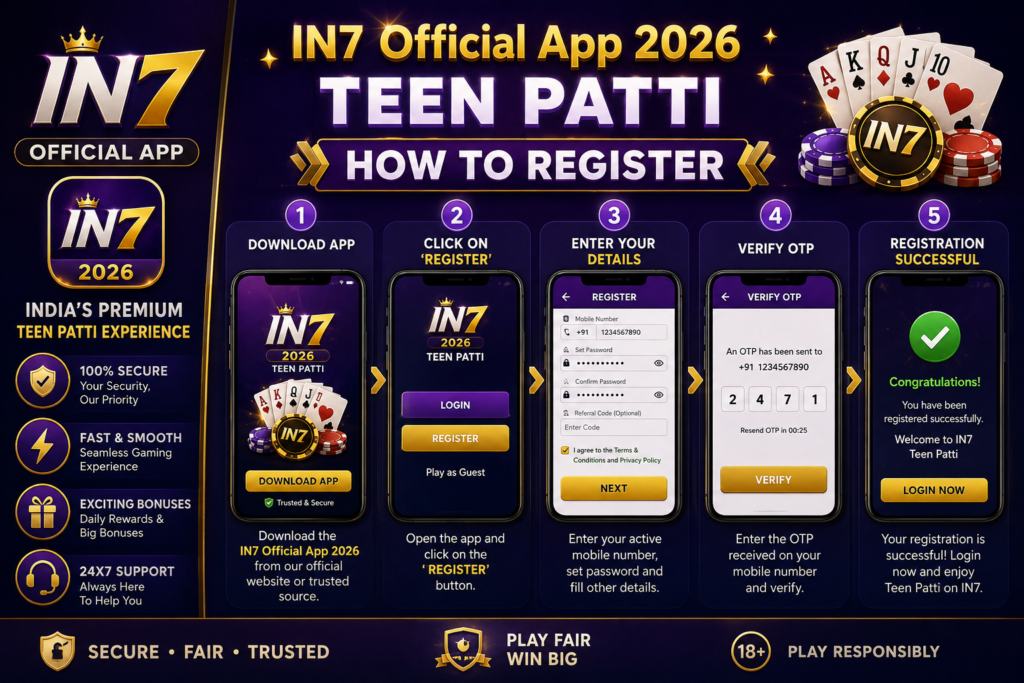
My download is stuck or very slow. Help!
Try these steps in order:
- Switch from mobile data to Wi-Fi or vice versa.
- Pause and resume the download.
- Clear the Google Play Store cache as described above.
- Restart your phone.
- Wait 15-30 minutes. Sometimes Play Store servers are simply busy.
3. Gameplay and Features
How many levels are in IN7 App 2026 ?
The game features ninety levels spread across three chapters.
- Chapter 1 (Countryside): 30 levels. Gentle introduction with slow, spaced-out obstacles.
- Chapter 2 (Urban Streets): 30 levels. Faster pace with cars, streetlights, and construction barriers.
- Chapter 3 (Futuristic City): 30 levels. Fastest pace with moving obstacles and complex patterns.
How do you play the game?
The controls are very simple. Your chicken runs forward automatically. You tap the screen to make the chicken jump. A quick tap makes a small jump. Holding your finger on the screen longer makes a higher jump. That is it. There are no other controls. No left, no right, no sliding. Just jumping.
Is there an ending? What happens after level ninety?
Yes, the story mode has a conclusion after you complete all ninety levels. However, the game does not end there. You can:
- Replay any level to improve your score.
- Go for perfect runs (clearing levels without hitting any obstacles).
- Unlock remaining achievements.
- Simply enjoy the endless runner mode (if available in your version).
What are achievements in IN7 App 2026 ?
Achievements are special milestones that reward you for specific accomplishments. They add replayability and give you goals beyond just completing levels.
Examples of achievements include:
- Completing each of the three chapters
- Making your first jump
- Running a cumulative marathon distance (total number of jumps across all play sessions)
- Achieving perfect runs without hitting any obstacles on specific levels
- Collecting certain numbers of coins (if coins exist in your version)
Does IN7 2026 have in-app purchases?
No. The game is completely free with no in-app purchases. You cannot buy anything with real money. No extra lives. No level skips. No cosmetic skins. Nothing. This is rare for a mobile game in 2026 and is one of the main reasons players love IN7 App 2026 .
Can I earn coins or points in the game?
Depending on the version, you may earn coins or points for completing levels and achieving perfect runs. These coins are purely for bragging rights and do not unlock any gameplay advantages. The game does not have a shop where you spend coins on power-ups.
4. Saving Progress and Data
How does the game save my progress?
Your progress is saved locally on your device. The game remembers which levels you have completed and which achievements you have unlocked. This data stays on your phone. It is not uploaded to any cloud server unless you manually enable a cloud save feature.
What happens to my progress if I uninstall the app?
If you uninstall IN7 App 2026 , your local progress is deleted. Unless the game has a cloud save feature (check the settings menu), your completed levels and achievements will be lost forever. You would have to start over from level one.
Can I backup my progress?
If the 2026 version of IN7 App 2026 offers cloud save functionality, you will find it in the settings menu under “Cloud Save” or “Backup Progress.” If you do not see that option, the only way to preserve progress is to keep the app installed. Some Android users manually back up app data using third-party tools, but that requires technical knowledge and is not officially supported.
I got a new phone. How do I transfer my progress?
This depends on whether cloud save is available.
- If cloud save is available: On your old phone, upload your save to the cloud. On your new phone, install IN7 App 2026 and download your save.
- If cloud save is not available: Your progress cannot be transferred. You must start over from level one.
Can I reset my progress and start over?
Yes. If you want to start the game from the beginning, you can clear the app’s data. Go to Settings > Apps > IN7 > Storage > Clear Data. This will erase all your progress, completed levels, and achievements. The game will behave as if you are opening it for the first time.
5. Troubleshooting Common Problems
The app keeps crashing when I try to open it.
Try these solutions in order:
- Force stop the app: Go to Settings > Apps > IN7 > Force Stop. Then reopen the app.
- Clear the cache: Same location > Storage > Clear Cache. Do NOT clear data unless you are okay with losing progress.
- Restart your phone. This fixes many temporary glitches.
- Check for updates: Make sure you have the latest version from the Play Store.
- Free up storage space: Low storage can cause crashes. Delete unused apps or files.
- Uninstall and reinstall: If nothing else works, uninstall IN7 App 2026 and download it fresh from the Play Store. This will erase your local progress unless you have cloud save enabled.
The game is lagging or running slowly.
This usually means your device is struggling with the graphics. Try:
- Closing other apps running in the background.
- Restarting your phone.
- Making sure your phone is not overheating. Remove the phone case and let it cool down.
- If your phone is very old, the game may automatically reduce visual quality to maintain performance. This is normal.
I hit an obstacle but it felt like I jumped at the right time.
This is usually a timing issue or a slight input lag on your device. Try:
- Tapping slightly earlier than you think you need to.
- Checking if your phone has any “touch sensitivity” settings that can be adjusted.
- Practicing on the early levels until you internalize the rhythm. The hitboxes are consistent once you learn them.
The game froze in the middle of a run.
Force close the IN7 Game and reopen it. You will lose progress on that specific run, but your overall level completion and achievements should remain intact. If freezing happens frequently, check for app updates or consider reinstalling.
I found a bug. How do I report it?
Use the in-app bug reporting tool if available. If not, email the developer at. Include:
- A clear description of what happened right before the bug.
- Steps to reproduce the bug if you know how to make it happen again.
- Your device model (example: Samsung Galaxy A14).
- Your Android version (check in Settings > About Phone).
- A screenshot or screen recording if possible.
The game has no sound. What’s wrong?
First, check that your phone’s volume is turned up and not on silent mode. Then check if the game has its own sound settings. Look for a speaker icon or a “Sound” option in the settings menu. If the sound is set to ON but you still hear nothing, try restarting the app or your phone.
6. Technical Requirements
What Android version do I need?
IN7 Official App 2026 requires Android 5.0 or higher. This means almost any Android phone released in the last eight to nine years can run the game. If your phone is older than that, you may need to upgrade your device or stick with other games.
Will IN7 Official App 2026 work on my Chromebook?
Yes, if your Chromebook supports Android apps from the Google Play Store. Not all Chromebooks have this feature. Check your Chromebook’s settings to see if the Play Store is available. Performance depends on your Chromebook’s processor and RAM.
How much battery does IN7 Official App 2026 use?
IN7 Official App 2026 is a lightweight game that does not use much battery compared to 3D games or online multiplayer games. However, any game will drain your battery faster than leaving your phone idle. On a full charge, you can likely play for several hours before needing to recharge.
Does IN7 Official App 2026 support game controllers?
No. IN7 Official App 2026 is designed for touch screen controls only. You tap the screen to jump. Game controllers are not supported. You must play using your phone or tablet’s touch screen.
Disclaimer: This article is for informational purposes only. Online real-money gaming is banned in several Indian states. You are responsible for checking your local laws before participating. The author does not endorse gambling or any activity prohibited by law. If you or someone you know has a gambling problem, please call a helpline. Do not play with money you cannot afford to lose.